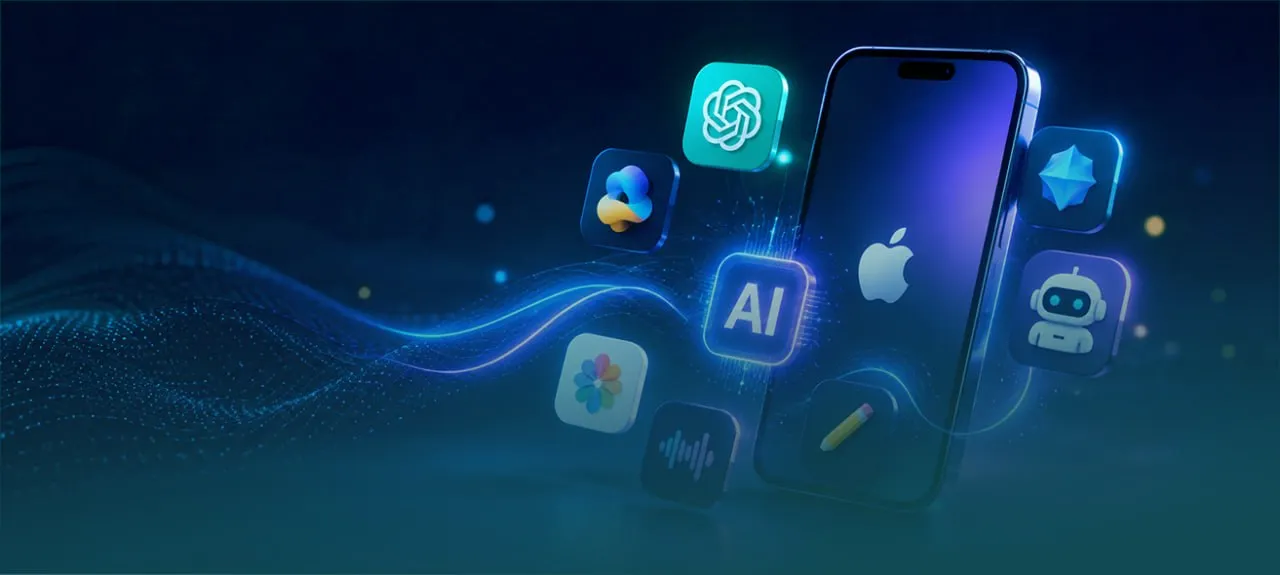
AI apps for iPhone include various tools for writing, translation, photo editing, and productivity. ChatGPT, Claude, Grammarly, Canva, and DeepL stand out as the top choices for 2025–2026, and most offer free plans sufficient for daily use.
If you use an iPhone and want to leverage artificial intelligence without wasting hours on research, this article from SARD blog cuts straight to the chase. Here you will find a list of the best apps categorized by function, clear selection criteria, and a direct comparison to help you make the right decision.
Why Have AI Apps Become Essential for iPhone Users?
With Apple’s launch of the Apple Intelligence ecosystem within iOS 18, artificial intelligence has become an integral part of the iPhone experience rather than just an extra feature. However, what Apple provides built-in—such as writing tools, image enhancement, and the upgraded Siri—remains limited compared to what third-party apps offer.
The real difference shows in the details: an app like Perplexity answers your questions with verified sources, while Otter turns your meetings into searchable text, and Eleven Labs produces human-quality voices from written text. These are levels Siri hasn’t reached yet.
Numbers reflect this trend: ChatGPT alone exceeds 200 million active weekly users worldwide, according to OpenAI data from early 2026. The demand for smart iOS apps is rising because they solve real problems quickly and efficiently.
How to Choose the Best AI App for iPhone?
Before downloading any app, it is important to evaluate your options based on five core criteria illustrated in the following table to make an accurate decision:
| Criterion | What Should You Ask Yourself? | User Importance |
| Ease of Use | Is the interface intuitive, or does it take a long time to learn? | A fundamental factor for saving time on quick daily tasks. |
| Privacy and Security | Does the app process data locally or send it to an external cloud? | Very crucial for personal or sensitive conversations and files. |
| Cost and Value | Are the paid features actually worth the subscription, or is the free version enough? | Ensures you set the right budget without overpaying. |
| Integration with the iOS Ecosystem | Does the app work across the keyboard, Siri, or shortcuts? | Provides a smoother and more seamless user experience with other phone apps. |
| Quality of Actual Results | Does the app’s performance excel in your target language and specific tasks? | Performance varies greatly depending on real-world use rather than hypothetical examples. |
Best AI Apps for iPhone
1. Chat and Writing Tools
ChatGPT
OpenAI’s official app, which is the most widely used globally. It supports natural voice conversation, image analysis, image generation via DALL-E, creative writing, and coding.
Key Features:
Advanced Voice Mode, cross-device chat synchronization, and GPT-4o support in the free plan.
Cons:
The paid model renews with periodic usage limits.
Best For:
Almost everyone, from students and freelancers to developers.
Price:
Free | Plus version at $19.99 per month.
Claude (Anthropic)
Claude excels in deep reasoning for complex problems and features a massive context window of up to 200,000 tokens—meaning it can read an entire book in a single session. It also connects to Google Workspace to intelligently pull context from your emails and documents.
Key Features:
High-precision PDF and image analysis, web search with citations, and excellent multi-language support.
Cons:
Less widespread than ChatGPT in Arabic interfaces, and full Arabic support is under continuous improvement.
Best For:
Researchers, developers, and those dealing with long, complex texts.
Price:
Free | Pro version at $20 per month.
Grammarly
A smart keyboard that works seamlessly inside every app on the iPhone, correcting grammar and spelling while improving writing style in real time. It supports text rephrasing in 19 languages and detects writing issues at a rate three times higher than traditional proofreading engines, according to the company’s official data from early 2026.
Key Features:
Full integration with the iOS operating system, tone detection feature, and an advanced cloud document editor.
Cons:Advanced features require a paid subscription, and support for non-English languages is limited.
Best For:
Content writers, students, and professionals who rely on English correspondence.
Price:
Free | Premium version at $29.99 per month.
2. Productivity and Task Management
Notion AI
More than just a traditional writing assistant; Notion is an all-in-one workspace combining notes, tasks, and databases, complete with an AI that searches your entire workspace, summarizes meetings, and fills tables automatically.
Key Features:
Automated meeting notes and minutes generation, database population, and smart geographic data map displays.
Cons:
Requires initial time and effort for setup and organization.
Best For:
Small teams, freelancers, and organized students.
Price:
Free | Plus version at $10 per month.
Microsoft Copilot
Combines the power of the GPT-4 model with DALL-E image generation capabilities in a completely free app. It shines exceptionally well in the Microsoft work environment by summarizing Word documents, analyzing Excel spreadsheets, and drafting Outlook emails, while offering an Enterprise mode for superior data protection.
Key Features:Free professional image generation, direct and free web access, and deep integration with the Microsoft 365 suite.
Cons:Maximum benefit from its features is conditional on having an active Microsoft 365 subscription.
Best For:Employees and companies that rely on the Microsoft environment for daily work.
Price:Free | Copilot Pro version at $20 per month.
Otter AI
Turns your meetings and audio clips into written, searchable text efficiently. Its smart assistant, OtterPilot, joins Zoom, Google Meet, and Teams calls automatically to identify speakers and produce accurate keyword summaries.
Key Features:
Instant, ultra-fast audio transcription, precise speaker identification, and a shareable cloud notes library.
Cons:
Transcription accuracy may drop slightly with non-American accents and dialects.
Best For:
Journalists, business owners, and anyone attending intensive meetings.
Price:
Free | Pro version at $16.99 per month.
3. Photo Editing and Design
Canva
Canva has transformed from a simple template tool into an all-in-one creative studio powered by artificial intelligence. The advanced video generation feature via Veo 3 produces professional clips with sound from text alone, handling images and presentations with an intuitive drag-and-drop interface.
Key Features:
Generating video clips from text, removing image backgrounds with a single click, and creating thousands of designs at once.
Cons:
The most powerful features and capabilities are restricted to the paid plan.
Best For:
Content creators, digital marketers, and startup and small business owners.
Price:
Free | Pro version at $12.99 per month.
Picsart
An all-in-one photo and video editor that merges traditional tools with time-saving AI features, such as instant background removal and low-resolution image enhancement, while offering a massive filter library and custom avatar creation tools.
Key Features:
An interactive community of over 150 million creators, powerful video editing tools, and ready-to-use designs for quick editing.
Cons:
Ads appear frequently and repeatedly in the free version.
Best For:
Photographers and social media content creators.
Price:
Free | Gold version at $12.99 per month.
Prisma
Prisma turns your ordinary photos into stunning artworks using advanced neural networks trained on the styles of famous international artists. The library includes over 500 art styles updated daily, alongside a Portrait Segmentation feature to apply effects to the person or background separately.
Key Features:
Stackable and blendable art filters, advanced portrait-specific effects, and daily artistic updates.
Cons:
An app specialized in artistic and aesthetic effects only, not a comprehensive dimension editor.
Best For:
Fine art photographers and visual creative content creators.
Price:
Free | Premium plan available for subscription.
4. Translation and Digital Learning
DeepL Translate
DeepL outperforms traditional translation tools from Google and Apple in linguistic accuracy tests, especially for European languages and professional contexts. It translates texts, images, speech, and complete documents while maintaining the highest security standards as it collects zero personally identifiable data.
Key Features:
Accurate translation for over 100 languages, ability to build custom glossaries, and the option to switch between formal and informal styles.
Cons:
Arabic language support and proofreading need further development compared to its high accuracy in European languages.
Best For:
Professional translators, business people, and travelers.
Price:
Free | Pro plan available.
ELSA Speak
An advanced app for learning English with a focus on proper pronunciation and speaking skills. The app analyzes your voice tone down to the individual letter and sound level, giving you immediate rating and feedback. Trusted by over 7 million learners worldwide, covering more than 40 different English accents.
Key Features:
High technical precision in pronunciation and accent analysis, features over 8,000 interactive exercises, and is ideal for preparing for IELTS and TOEFL tests.
Cons:
The app is exclusively dedicated and targeted toward developing English language only.
Best For:
Students and employees looking to improve their English pronunciation or prepare for international tests.
Price:
Free | Budget-friendly Premium version at $11.99 per year.
Best Free AI Apps for iPhone
If you prefer relying on services that do not require any paid monthly subscriptions, these apps provide amazing practical value in their free plans:
ChatGPT (Free):Provides access to the GPT-4o model, along with voice conversation and image analysis features.
Google Gemini (Free):Features integration with Google services, a live camera mode, and a feature to convert text documents into audible podcasts.
Perplexity (Free):A smart search engine that delivers direct, source-verified answers with links, excellent for fact-checking and fast research.
Luma AI (Completely Free):Allows you to turn your regular iPhone camera into a 3D scanner to produce stunning digital models.
Seeing AI (Completely Free):Dedicated to reading text aloud and recognizing surrounding objects, making it a revolutionary and highly useful app for the visually impaired.
Whisper Transcription (Partially Free):Performs audio transcription with incredible accuracy directly on the device to protect privacy without sending your files to external servers.
Quick Comparison Between Popular AI Apps on iPhone
| App | Core Category | Key Competitive Advantage | Price / Subscription Plan |
| ChatGPT | Chat & Writing | Advanced and natural voice mode | Free / $19.99 monthly |
| Claude | Chat & Analysis | Long text and massive document analysis | Free / $20 monthly |
| Grammarly | Writing & Proofreading | Instant proofreading inside all phone apps | Free / $29.99 monthly |
| Notion AI | Productivity & Organization | Smart and integrated workspace for project management | Free / $10 monthly |
| Canva | Design & Editing | Smart text-to-video clip generation | Free / $12.99 monthly |
| Otter | Audio Transcription | Recording and automatically summarizing meetings | Free / $16.99 monthly |
| DeepL | Professional Translation | Superior accuracy in translating over 100 languages | Free / Pro plans available |
| Picsart | Photo Editing | Smart one-click background removal | Free / $12.99 monthly |
| Perplexity | Search & Knowledge | Instant research answers backed by sources | Free / $20 monthly |
| ELSA Speak | Learning & Speaking | Precise AI pronunciation analysis | Free / $11.99 annually |
Are AI Apps Safe on iPhone?
The question is valid, and the answer depends on the app and how it is used.
Major apps like ChatGPT, Claude, Gemini, and Copilot adhere to iOS security protocols and disclose their data policies in the App Store. However, this does not mean everything you type remains completely private—many of them send data to external servers for processing.
For sensitive content, the best choice is apps that process data directly on the device. Whisper Transcription allows this option for iPhone 13 and later, making it ideal for medical, legal, or personal recordings. DeepL also does not collect personal identifiable data, which is a clear advantage for anyone translating sensitive content.
General Rule:
Read the privacy label in the App Store before downloading any app, and avoid entering sensitive personal information into apps whose data policies you do not know.
Frequently Asked Questions
What are the best AI apps for iPhone in 2025–2026?
ChatGPT is the most comprehensive for general use, Claude is best for deep analysis, Grammarly is optimal for improving writing, Canva for design and video, and DeepL for translation. The most suitable choice depends on your primary need.
Are there free AI apps for iPhone worth using?
Yes. ChatGPT, Google Gemini, and Perplexity offer robust free plans sufficient for daily use. Luma AI and Seeing AI are completely free with no limits. ELSA Speak offers a good free version for learning pronunciation.
Do AI apps work on all iPhone devices?
Most work on iPhone 11 and later running iOS 16 or newer. Some advanced features, like local audio transcription in Whisper Transcription, require at least an iPhone 13. Apple Intelligence itself requires an iPhone 15 Pro or the iPhone 16 series.
What is the best AI photo editing app on iPhone?
For producing unique artistic effects, Prisma is unmatched with its library of 500+ styles. For practical editing—background removal, quality enhancement, and social media content creation—Picsart and Canva are the strongest choices, with Canva taking the lead if you need video editing within the same app.
Can AI apps replace Siri on iPhone?
ChatGPT, Claude, and Gemini are more capable than Siri for open-ended questions, creative tasks, and complex analysis. However, Siri remains faster and more reliable for device control: setting alarms, playing music, sending quick messages. Many users use both: Siri for quick commands, and a separate AI app for everything else.
How to Choose the Right App for You?
Based on your preferences and interests, the following quick decision path shows you the best app directly:
| If your primary goal is… | The most suitable app for you | Reason in brief |
| Comprehensive general assistant for daily life | ChatGPT | The free plan is robust and sufficient for most daily needs. |
| Professional writing in English | Grammarly | Works directly inside every app on your phone without complexity. |
| Content design, images, and video | Canva | Combines a design and editing studio in one place for marketers. |
| Maximum privacy and security | Whisper & DeepL | Local voice processing and extreme caution in handling data. |
| Developing English pronunciation and language skills | ELSA Speak | Offers the highest value for money ($11.99 annually). |
AI apps for iPhone have reached maturity. The tools are there, mostly free or for a nominal fee, and the right choice starts with knowing the problem you want to solve.